 Seekd
Search with context
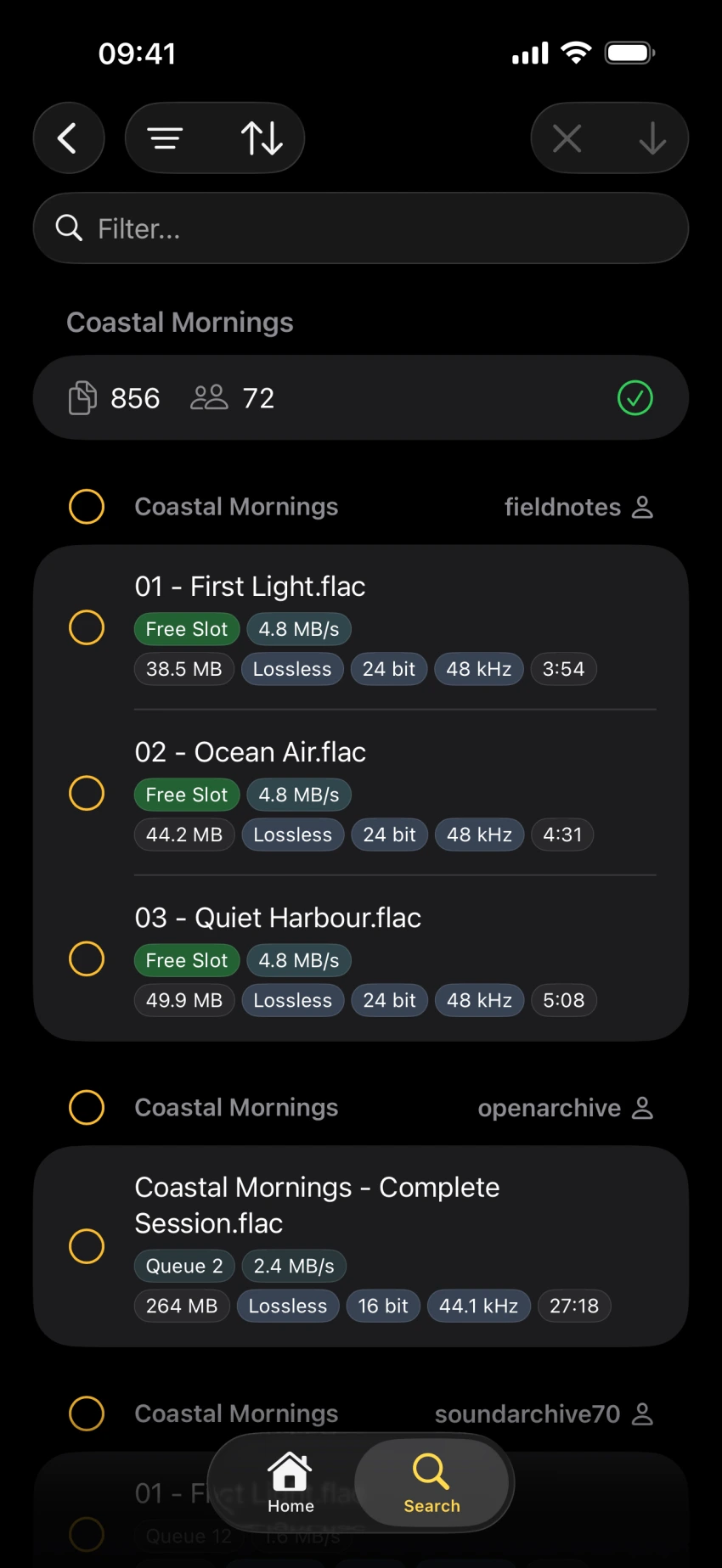
See results grouped by peer and folder. Filter by format, bitrate or available slots before committing a whole folder to your queue.
iPhone & iPad · Self-hosted
I built Seekd to make searching Soulseek and managing transfers easier from an iPhone or iPad. You can queue whole folders and follow downloads and uploads. Your slskd server handles the transfers and keeps the files.
Free with optional tips. Requires a running slskd server.
Search and transfers
See results grouped by peer and folder. Filter by format, bitrate or available slots before committing a whole folder to your queue.
Pick individual files or a full folder and review what you’ve selected. Files land on your server, not on your phone or tablet.
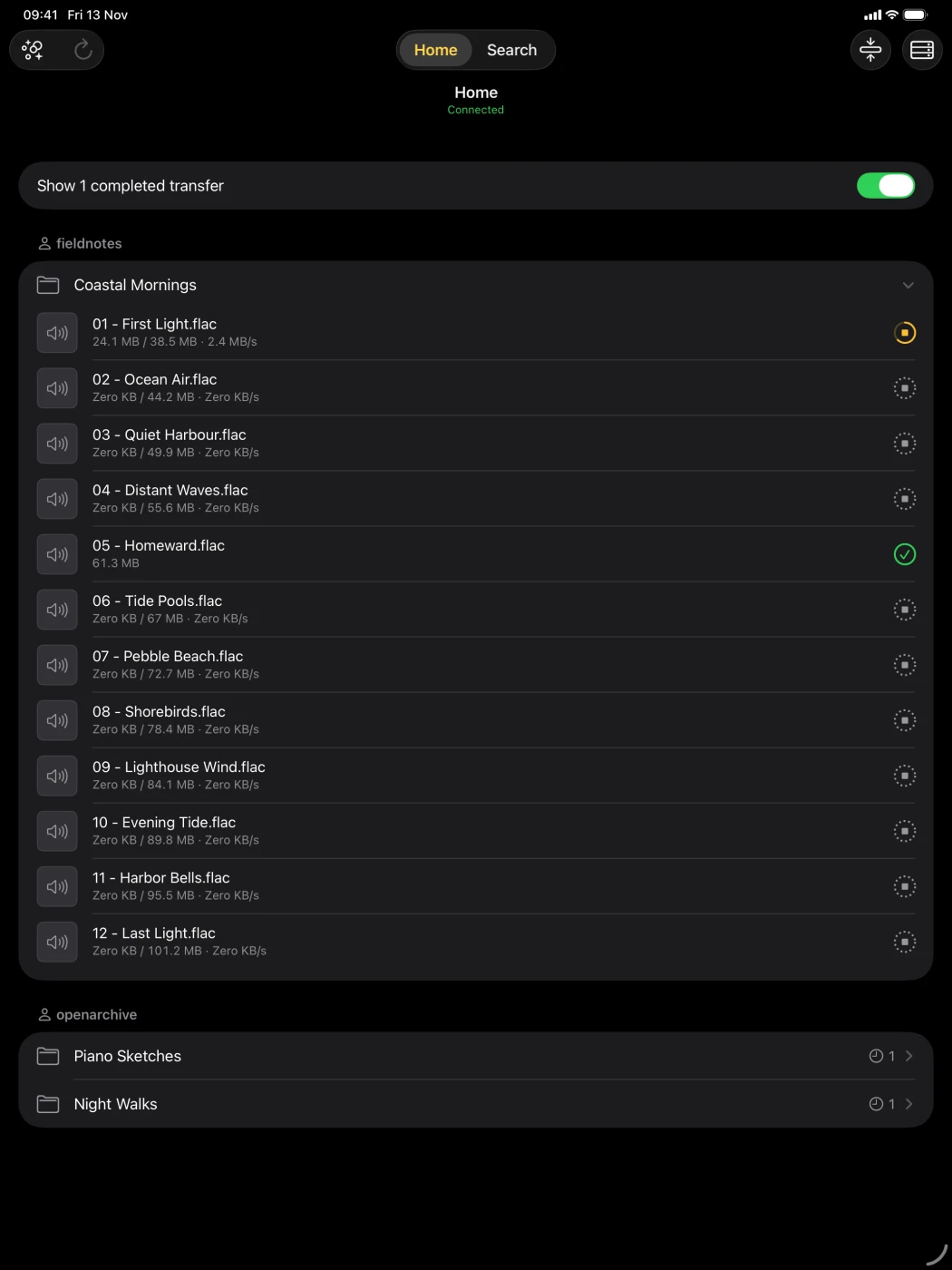
Switch between downloads and uploads without losing track of which folders you opened. See which files failed and retry eligible downloads individually or as a group.
Made for the screen you use
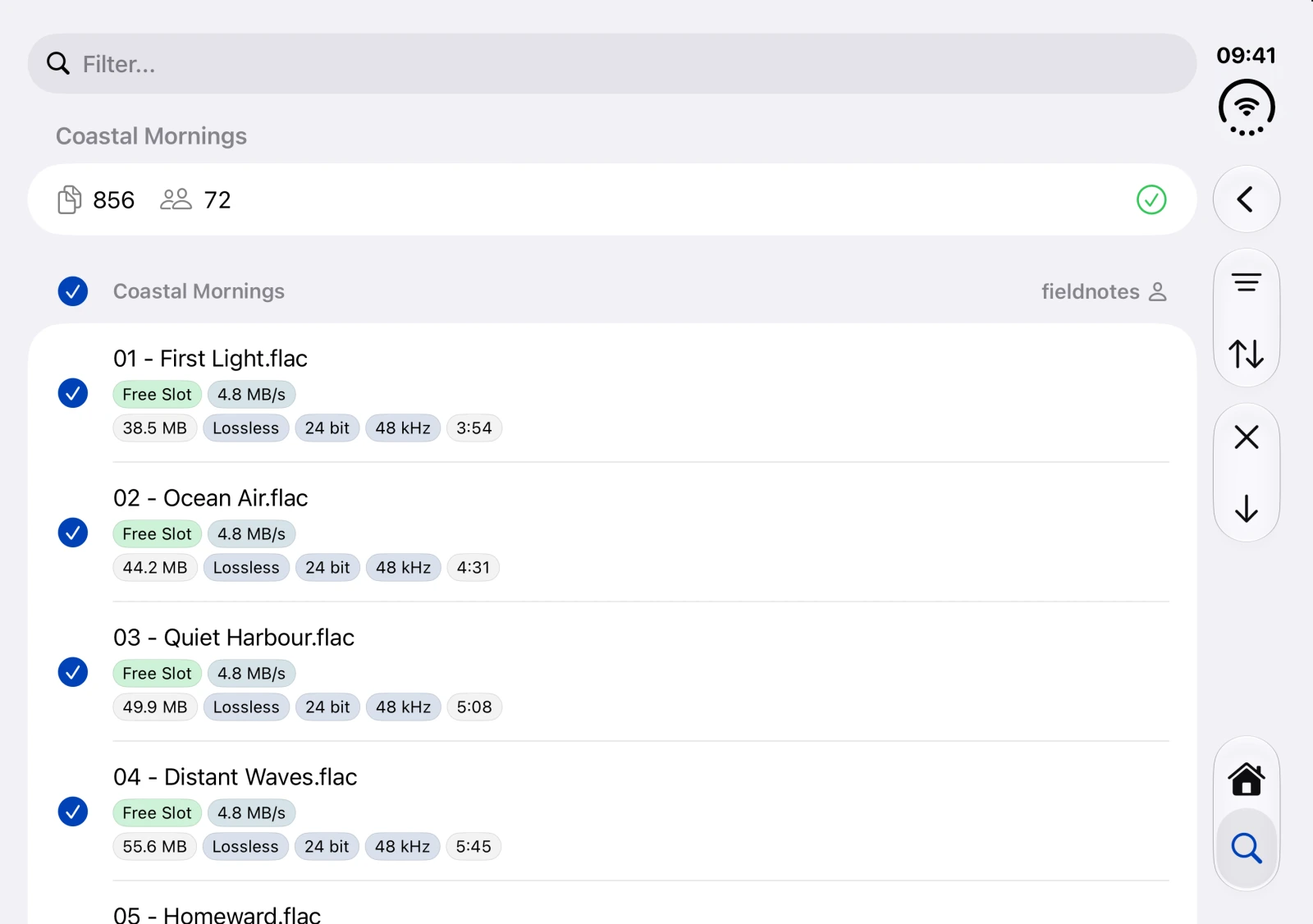
On iPad, see folder totals and individual file progress together. Unfold iPhone Duo to compare file details without losing sight of your selection.
Start here
Switch between saved profiles without re-entering credentials. Use a slskd API key or web login. Seekd stores your credentials in the device’s Keychain. For failed connections, see the slskd troubleshooting guide.
Read the slskd setup guideAway from home
Connect over a private network or authenticated HTTPS, and find out why a connection works on Wi-Fi but not on mobile data.
Read the remote access guideGetting started
If you already run slskd, add its address and start searching. If you’re setting it up for the first time, I’ve written a guide to what you’ll need.